AI Security Assessment Tools Made Safer with Strapi

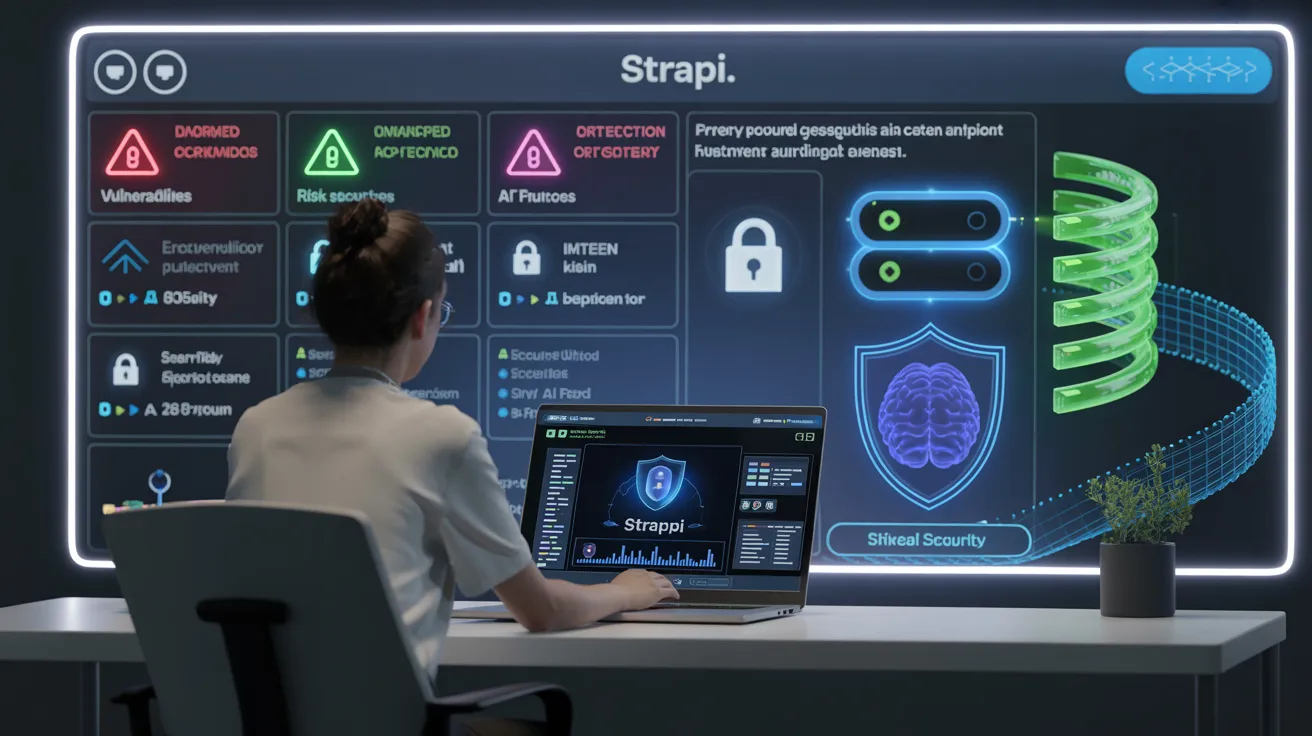
You face new risks every day when you use ai security assessment tools. Security breaches happen often. For example, 20% of organizations have had incidents from shadow AI. Also, 13% have had attacks on their AI models. Strapi gives you strong security with role-based access, audit logs, and flexible integration. Good content management helps you spot threats early and follow strict rules.
“Flexibility and customization, faster development and iteration, and improved performance and scalability” make Strapi a smart choice for secure AI workflows.
You can get Strapi and other tools at toolcookies. You can start your secure journey with a simple signup.
Evidence Description | Contribution to Security |
|---|---|
Doing careful internal and external checks and verifications | Makes sure AI systems meet high standards and follow rules, lowering security risks. |
Finding new attack ways and situations early | Helps stop possible security threats early in the development process. |
Handling new threats and bias in AI tools | Makes sure AI tools are safe, private, and designed ethically, improving security in AI environments. |
Key Takeaways
Strapi makes AI security better with role-based access control. This means only allowed users can see important data.
Audit logs in Strapi watch what users do. They help you find and fix strange actions fast.
Secure login methods like JWT tokens and API tokens keep your AI tools safe from people who should not use them.
Strapi’s main content management keeps your data neat and safe. This lowers the chance of security problems.
Adding Strapi to other security tools makes your security stronger. It helps your AI workflows stay safe.
Strapi in AI Security Assessment Tools

Centralized Content Management
You need a good system to handle your content with ai security assessment tools. Strapi gives you one place to keep your data safe and neat. You decide who can see or change things. This stops people from getting in without permission and keeps important content safe.
Strapi uses an api-first way. You only show api endpoints that are watched. This makes your system safer and lowers the chance of attacks. Strapi hides the backend from the public internet. This keeps it away from outside threats. You can send read-only api content through CDNs. This keeps your data safe from attacks that try to change it.
Strapi has built-in authentication. You pick who can use the admin panel. Only trusted people handle important data. You set up role-based access control. You make roles and permissions for each person. This limits who can see or change key information. Strapi tracks changes with audit logs. You can see who edited things and notice strange activity quickly.
Built-in authentication keeps the admin panel safe.
Role-based access control lets you give different permissions to each person.
Audit logs help you watch changes and find threats.
When you use strapi for ai security assessment tools, you can see your content clearly. You keep your data safe and follow good security steps.
API Security & Access Controls
APIs link your ai security assessment tools to other systems. You need to protect these links to keep your data safe. Strapi gives you strong api security tools. You choose who can use each api endpoint. You set rules for every person and every role.
Strapi lets you make custom policies. You use middleware to check requests and make sure people are allowed in. You block unwanted access and keep your system safe. You can use strapi in many places. You connect it to CI/CD pipelines and outside authentication providers. This helps you meet your security needs.
Here is a table showing how strapi matches industry standards for api security in ai security assessment tools:
Feature | Description |
|---|---|
Role-Based Access Control | You set permissions for each user role. You control who can use content and admin features. |
Custom Policies | You use middleware to check requests and set authentication rules. |
Flexible Deployment | You use strapi in different places and connect to outside auth providers. |
Strapi gives you detailed access controls for api endpoints. You go to settings, add new roles, name them, and set permissions for each content type. You save the role and manage who can access what. Strapi includes default roles:
Public: People who are not logged in can use public APIs.
Authenticated: Logged-in users can use authenticated APIs.
Administrator: Full access to all APIs and admin features.
You use strapi to protect your ai security assessment tools. You keep your api links safe. You manage who can use them and follow strong security steps. Strapi helps you build a secure system that fits your needs.
Strapi AI Security Features
Authentication & Authorization
You need strong ways to check who is using your AI security assessment tools. Strapi AI gives you different ways to make sure users are real. You can use local authentication, JWT token authentication, or API token authentication. Each way helps you control who gets into your platform.
Authentication Method | Description |
|---|---|
Local Authentication | Users sign up with email and password. They log in using built-in endpoints. |
JWT Token Authentication | Uses JSON Web Tokens. These tokens have user info and when they expire. |
API Token Authentication | Lets servers talk to each other. You make tokens in the admin panel for safe communication. |
You can pick the best way to check users for your workflow. Local authentication is good for simple logins. JWT token authentication lets you have sessions that do not save info on the server. This helps you grow your AI security assessment tools. API token authentication lets you connect different systems safely.
Strapi AI lets you set up checks for every API endpoint. You choose who can get into each part of your system. You use authentication to protect important data and keep your AI models safe. You can add more steps, like two-factor authentication, to make your platform even safer.
Tip: Use JWT token authentication for sessions that do not save info on the server. This works well for big AI security assessment tools.
You can use authentication to stop unwanted users. You keep your system safe from attacks. You make sure only trusted people use your AI security assessment tools.
Role-Based Access Control
Role-based access control helps you decide what each person can do in your AI security assessment tools. Strapi AI lets you make roles for every user. You set what each role can do. You choose who can read, write, or delete content.
You can use role-based access control to stop people from getting too much power. You make sure a stolen user token cannot get into admin routes. You make roles for different AI instances based on their jobs. You give each role only the permissions it needs. You lower the chance of someone getting extra power.
Use role-based access control to protect admin routes.
Set detailed role-based access control for each AI instance.
Give roles only the smallest permissions needed.
Plan agent actions to stop people from getting in without permission.
Strapi AI lets you manage custom roles and access rules. You can use policy-as-code engines to set permissions automatically. You keep your system safe and easy to handle.
Many groups use role-based access control in Strapi AI. Tesco uses it to limit content access by department. AE Studio manages custom roles and permissions for their growing platform.
Note: Role-based access control helps you keep your AI security assessment tools safe and neat.
You can use role-based access control to protect your API endpoints. You make sure only the right people use important features. You keep your AI security assessment tools safe.
Audit Logs & Monitoring
Audit logs help you see what users do in your AI security assessment tools. Strapi AI writes down every change. You can see who changed content, when they did it, and what they changed. You use audit logs to watch actions and find strange activity.
Strapi AI tracks what users do.
You find changes that should not happen fast.
Audit logs keep a list of every action.
You act on security problems right away.
You can use audit logs to show users you care about safety. You prove you want to keep things secure. You keep your AI security assessment tools safe from harm.
Alert: Always check audit logs to find strange actions. This helps you fix security problems quickly.
You can set up watching for your API endpoints. You look for odd requests or failed logins. You use audit logs and watching to keep your AI security assessment tools safe.
Strapi AI gives you tools to protect your platform. You use authentication, role-based access control, and audit logs to build a strong security system. You keep your AI security assessment tools safe and working well.
AI-Powered Content Type Builder & Security

Custom Content Types for AI Workflows
Strapi helps you make custom content types for your AI work. The ai-powered content type builder lets you add fields and set up structures for your project. You decide how your api uses data and who can see it. This gives you strong security and keeps your data safe.
Strapi uses role-based access control. You set what each user can do. You choose who can look at, change, or remove important information. Authentication methods like OAuth 2.0, JWT, and SAML keep your api endpoints safe. You protect your content management system from people who should not get in.
You need to watch for broken object level authorization. Attackers might try to change object IDs in api requests. You stop this by using strict security settings and checking api activity. You also block unlimited resource use. Complex GraphQL queries can use too many resources. You use rate limits and monitoring to keep your ai-powered automations safe.
Role-based access control stops people from seeing important data.
Authentication methods keep api endpoints safe.
Data encryption keeps information safe when stored and sent.
Monitoring stops people from abusing api requests.
The ai-powered media library helps you handle files and images. You set who can use each file type. You keep your media assets safe and neat.
Secure Data Storage & Transmission
Strapi helps you protect your data. You use the built-in api token system to check outside requests. You manage permissions with role-based access control. You change api keys often to lower risks. You watch api use with audit logs. You find strange activity fast.
You use safe protocols like HTTPS. Strapi uses TLS 1.2 and TLS 1.3 to send data. You encrypt important information like credentials and tokens. You follow rules like GDPR and SOC 2 by using strong encryption.
Security Step | How It Helps You |
|---|---|
API token authentication | Checks outside requests |
Role-based access control | Sets what users can do |
API key rotation | Lowers risk of key leaks |
Audit log monitoring | Finds strange activity |
HTTPS and TLS encryption | Keeps data safe when sent |
You keep your ai security assessment tools safe. You use strapi to protect your api, your data storage, and your data when sent. You build a strong base for your AI work.
Integration & Best Practices
Real-World Use Cases
Strapi works in many big ai projects. You use it to build ai security assessment tools. You need a cms that is easy to connect and gives strong control. Strapi helps you handle data and api endpoints. You set who can use each part. You pick permissions for every role. This keeps your ai workflows safe and neat. Many teams use strapi to link their ai models to safe data sources. Strapi helps your system work faster and grow bigger. It is an open-source headless cms. You can make custom workflows for your ai tools. You manage content and api access. You keep important data safe and your systems running well.
Workflow Improvements & Risk Reduction
Strapi helps you work better and lowers risk in your ai security assessment tools. You decide what each environment does. You set up Development, Staging, and Production environments. You use version control to track changes in content models. You automate deployment with CI/CD pipelines. Strapi’s workflow features make the content lifecycle easier. You test in different environments to stop mistakes. You use environment variables for things like api keys and database credentials. You do not hardcode credentials. You keep environment files safe by leaving them out of version control. You use role-based access control for user permissions. You use HTTPS to keep data safe when sent. You turn on CORS for trusted domains. You watch security events with strapi’s audit log. You keep your enterprise ai workflows safe and working well.
Toolcookies for Secure Access
You need a trusted place for open-source headless cms tools. Toolcookies gives you safe access to strapi and other group-buy tools. You get the best open-source cms for your ai projects. You help content managers work better. You set permissions and access for every user. You make your enterprise ai workflows faster and bigger. You keep your data and api endpoints safe. You make your integration safe and steady. Toolcookies helps you start using strapi and other open-source headless cms solutions. You build safe ai systems with strong control and easy access.
You get strong security when you use Strapi for your AI security assessment tools. Strapi helps you follow rules and keeps your data safe. You choose who can make or change content. This makes your workflows safer. You protect your information with backups and database code. Strapi gives you role-based access control. You manage security for each user. You build safer AI systems and keep your content safe. Toolcookies lets you use Strapi and other tools for better security.
Discover Strapi's Security Features
Explore how Strapi can enhance your AI security assessment tools with robust security measures.
Security Benefit | Description |
|---|---|
Compliance with regulations | Strapi helps you follow rules like GDPR or HIPAA. This is important for security. |
Data protection | Strapi Cloud Backups give you scheduled backups and database code. This gives strong security. |
Role-Based Access Control | You set user permissions. This improves security by controlling who can make or change content. |
You make your AI workflows safer.
You keep your content safe with Strapi and Toolcookies.
FAQ
What makes Strapi a good choice for AI security assessment tools?
You get strong security features with Strapi. You control who can access your data. You use audit logs to track changes. You set up role-based access. These tools help you protect your AI systems.
How does Strapi help you manage security risks?
Strapi lets you set permissions for each user. You monitor activity with audit logs. You use secure authentication methods. You keep your content safe from unwanted changes. You lower your security risks with these steps.
Can you use Strapi with other security tools?
Yes, you can connect Strapi to many security tools. You add extra layers of protection. You use APIs to link with monitoring systems. This helps you build a stronger security setup for your AI workflows.
How do you keep your data safe when using Strapi?
You use HTTPS for safe data transmission. You store sensitive data with encryption. You rotate API keys often. You check audit logs for strange actions. These steps help you keep your security strong.
Where can you get secure access to Strapi and other tools?
You visit Toolcookies for secure access to Strapi. You find group-buy options for many tools. You improve your security by choosing trusted sources. You start building safer AI systems right away.
See Also
Is Toolcookies' Nichescraper Group Buy Safe for 2025?
2025 Trends for Seositecheckup Group Buy via Toolcookies
Ensuring Safe Access to Ideogram Group Buy with Toolcookies
